Showing posts with label Featured. Show all posts

00:46

Microsoft announces 100k apps now in the Windows 8 App Store !!!

Microsoft has announced, via a developer-focused Twitter account, that it has reached the 100k app milestone in the Windows 8 app store. Microsoft announced the Windows 8 store, which would distribute applications to its users much in the way of Apple’s Mac App Store.


                       This milestone puts Microsoft ahead of the pacing of the Windows Phone store, which took a year and a half to get to the same spot. Apple’s Mac App Store, by comparison, was launched 2.5 years ago and is estimated at around 15k apps. The Windows Store (theoretically) passed the Mac App Store some time before November of 2012.

Obviously, this stat going out to developers is both a congratulatory and encouraging move on Microsoft’s part. In this age of laterally integrated systems, having a robust developer community is more important than ever before. Especially as Microsoft has recently made moves to unify the code base necessary for apps to be made available on Windows 8, Windows Phone 8 and the Xbox One, allowing developers to sell their wares across all of the stores with minimal effort.

Via : TheNextWeb..


Read Article

06:16

How to Get Facebook’s New Homepage/News Feed...

         How Many Of you Got New News Feed as in this post..I have not yet Experienced it.. What About you.. Do you want it or waiting for it..Then Go Through the Post..

                        Facebook has recently launched the brand new look for its News Feed ( User login Homepage ) , Here is method on how you can get Facebook news feed. The Facebook News Feed looks much better than old News Feed. Facebook has brought Facebook News Feed with many cool features, it is completely different from its old version. Some of the basic thing has been changed in Facebook new News Feed such as photos, videos, font size, stories and more. But it’s hard to discover until you are and active Facebook user. You may also like the complete list of Facebook emotions.


                Above screen shot is the Demo of the Facebook's New News Feed. Got from Google Images.. I assume that you will get a clear picture on your mind as how it look’s. In the new News Feed, Facebook has concentrated on its sidebar mainly, It is looking now beautiful. You can say the new Facebook news feed has been inspired from the Mobile version of Facebook. As in the Facebook mobile version, you have a cool sidebar containing all posts and option, Now it has came to your computer in the form of new Facebook News Feed. Facebook has really done a great job to remove all buttons and option from the feed and integrated them into left sidebar, as you can see in the above picture.


What’s new in New Facebook News Feed?

                As there are many new things in Facebook new News Feed but, you can find all of them only by getting it for your profile. The pictures, and videos looks bigger in the new News Feed. The third party apps like Pinterest, Instagram etc. looks much better. Facebook has added Filter option on your Facebook new News feed, now you are provided a Feed Selector menu which allows you to choose filter according to your wish. Overall, the new Facebook News Feed has bright and high resolution photos. So, Follow the instructions below to get new Facebook News Feed at once.

How to Get Facebook’s New News Feed ?

           As Facebook has not made such a option to get Facebook new News Feed in a single click. Here you have no option, where you can get new Facebook News Feed by only one click. However, you can get the Facebook new News Feed by joining the waiting list, Here is how you can get new Facebook News Feed...

  • Go to Facebook’s News Feed. ( click the lick given or manually you can go to http://www.facebook.com/about/newsfeed )
  • When you open the page,,Click on the Join List, like the picture given below.


  • You have done! Now wait, you will soon get a notification on your Facebook Profile page when you get new Facebook News Feed...
 This is how you can get new Facebook News Feed, Many people have already got the new Facebook News Feed for their profile. How about you? Have you Got Facebook new News Feed yet? Share this article with your friends, to help them in getting new Facebook News Feed 

I hope you all found it HelpFul..

Join our Facebook Fan Page  .:MJN Tech:.
and
Subscribe for More Latest Updates..

With Regard's

Read Article

05:00

GifCam-The Easiest Way to Capture Screen Video In .GIF Format or to Create Animated GIFs..

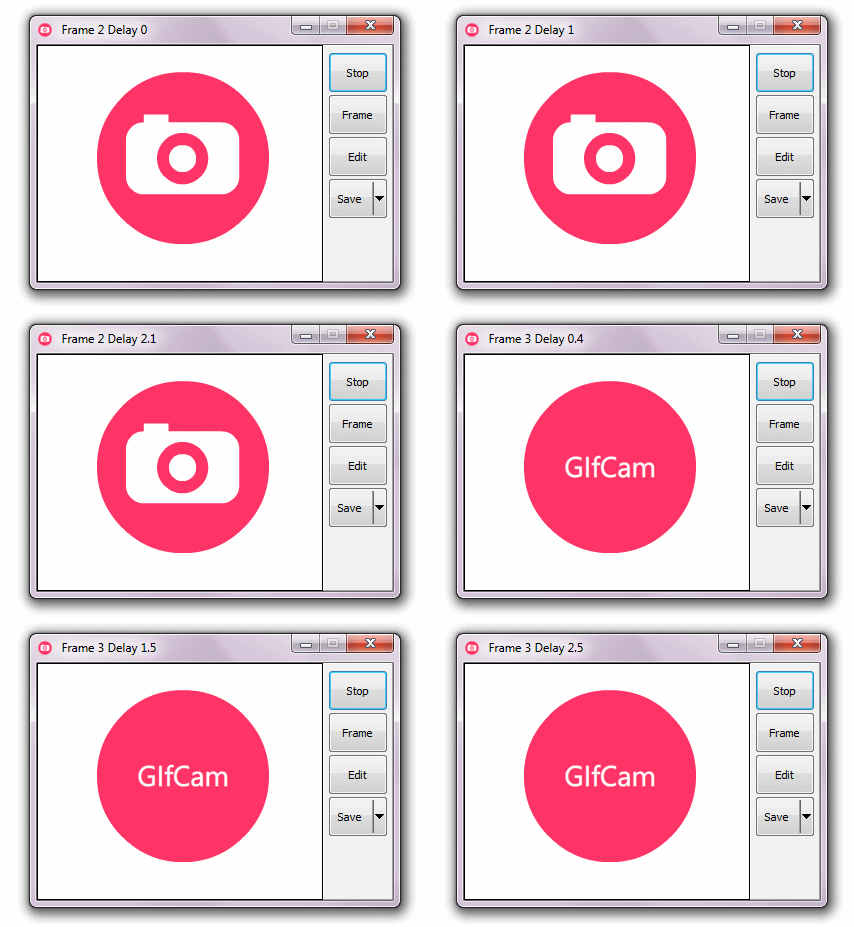
                          GifCam is easy and fun animated gif making app.GifCam has a nice idea where the app works like a camera that stays on top of all windows so you can move it and resize it to record your desired area.
                        Quickly make an animated GIF of anything. GifCam is a free, portable app for Windows that provides you with a simple frame. Re size and position it, then hit record – everything that happens within that frame will be recorded. It’s the easiest way to create your own GIF of just about anything — from desktop demonstrations to clips from any video, online or off. If you love creating GIFs, but wish the process was quicker, you need to check this app out.
                          The animated GIF just might be older than you – it’s been around since 1987, and really took off in the early days of the web. It declined at the end of the 90′s, and to some it’s an obsolete way to show animations online – but you wouldn’t know that to look at the web today. Animated GIFs are everywhere. From the endless scrolling of Tumblr to reaction shots on Reddit, GIFs are probably seen by more humans today than any point in their history.

How to Make GIFs in Easy Way..

  • GifCam looks like any other window – except you can see through it. Think of the window as the frame of your virtual video camera – one you can resize and move however you like.

  • You can use this to record just about anything. Your favorite YouTube video. Or To preview the Animated Demo of your Work ..Like below I am Previewing the "Animated Metro UI Drop Down Menu" created by Me..which is my Previous Post of this Blog..

  • Just Download this GifCam Software From Link which is given at the End of this post and Run the App...
  • Then Adjust the Size of Recording Area by Resizing the Window of APP..
  • Then Click on "Rec" .which will start Recording the frames..
  • As your Recording is done!! Click on Stop..
  • Then Click on Save..
  • That's it  ..Done!!!

Note:


I hope you have found this post helpful..
Don't forget to Subscribe , Comment and Share this post..
With Regard's ,

Read Article

20:44

20 Years on,World's First Web Page to be REBORN !!!


Berners-Lee With First Web Software..             The world's first web page has been dragged out of cyberspace and restored for today's internet browsers as part of a project to celebrate 20 years of the web.
             British physicist Tim Berners-Lee invented the world wide web, also called W3 or just the web, in 1989 to help physicists to share information.At the time it was just one of several such information retrieval systems using the internet.

On April 30, 1993, the European Organization for Nuclear Research (CERN), where Sir Tim worked, made the web available to the world for free.

A screenshot of the world’s first website, which — in a beautiful display of recursion — explains what a website is
        The technology was launched with the world's first website, which explained how the web worked.
       The site, hosted on Sir Tim's NeXT computer, allowed early browsers to learn about the basic features of the new system and create their own web pages.

You can Also Take A look at World's First Website here as in This Pic :   The World's First Website!!

                         "It's one of the biggest days in the history of the web," CERN web manager Luke Noyes said of the historic day 20 years ago."CERN's gesture of giving away the web for free was what made it just explode."The site, which described the web as a "wide-area hypermedia information retrieval initiative", has long been dormant but CERN has now begun recreating the page.

                         Mr Noyes says the project will allow future generations to understand the origin and importance of the web and its impact on modern life"We're going to put these things back in place, so that a web developer or someone who's interested 100 years from now can read the first documentation that came out from the world wide web team," he said.

'Missing disk'

                         The CERN team has restored the files using a 1992 copy of the first website, but hopes to find earlier copies."We know there is a missing disk that has a 1990 copy of the first website somewhere,"
                         Mr Noyes said, stressing that the restoration project is open and urging the public to get involved."Someone out there might know where [the disk] is, and we would really like some help and collaboration in tracking these things down," he said.Mr Noyes says the first browser was "actually very sophisticated, with images and features that don't really exist anymore, like being able to edit web pages as well as read them".
                       "We would like to somehow enable people to try this," he said.But he says it remains unclear how that will be accomplished.He says the CERN team is considering creating some kind of emulator, or possibly filming the process to show what it looked like.Mr Noyes says by making the birth of the web visible again, the CERN team aims to emphasise the idea of freedom and openness it was built on."
                         In the early days, you could just go in and take the code and make it your own and improve it. That is something we have all benefitted from," he said.He says while CERN is not promoting any specific ideology, "we want to preserve that idea of openness and freedom to collect and collaborate".Mr Noyes says other information sharing systems that had wanted to charge royalties, like the University of Minnesota's Gopher, "just sort of disappeared into history".

Berners-Lee’s Used this NeXT Computer to develop and Run First World's Website..
                    Berners-Lee’s early WWW work was done on a NeXT Computer (created by Steve Jobs, after he left Apple in the ’80s as You can see in Image..         
                   Berners-Lee developed a simple text-based browser called WorldWideWeb in 1990 to accompany the project, but it wasn’t until the release of Mosaic by the National Center for Supercomputing Applications (NCSA) in 1993, following the open-sourcing of the WWW technologies, that the web really began to grow in earnest. Mosaic was a free-for-non-commercial-use graphical browser developed by Marc Andreessen and Eric Bina, with funding from Al Gore’s High Performance Computing and Communication Act of 1991 (yes, this is the basis of the Al Gore invented the internet story.) After graduating from university Andreessen went on to form the Mosaic Communications Corporation, in 1994 Mosaic changed its name to Netscape, in 1997 the first Browser War was sparked by Microsoft’s release of Internet Explorer 4 — and the rest, as they say, is history.

                   As for Tim Berners-Lee, he went on to found the World Wide Web Consortium (W3C) at MIT, with support from DARPA, after leaving CERN in 1994.  From there, he continues to guide the development of standardized, open web technologies, and thus the future of the web. The W3C’s primary goal is to ensure the continued compatibility of dozens of browsers, used by billions of surfers, accessing millions of web servers — and so far, despite a few spats involving WebGL and HTML5 DRM extensions, the Consortium seems to be doing rather well. 


I hope You guys got at least some Info about World's First  Website..
For More Updates Subscribe,Share and Comment...

With Regard's ,

Read Article