03:05

Add New Google+ Follow Badge of your Profile,Page or Community to your Blog/Website ...


           Recently I have posted about the Introduction of New Google+ Follow Button by Google on its 2nd year Anniversary  of Google+.. i.e., "Google rolls out a new Google+ Follow button for sites and new badges for Communities, Pages, and Profiles ..." so i have mentioned at the end of above mentioned post that I'm gonna post a widget of Google+ Follow Button.. Hence today I will show how to do it..


So lets begin.. Basically Follow below steps to add gadget to your blog..

  • First Go to "Blogger" and Go to Blog "Dashboard"..
  • Now go to "Layout Section" From your "Dashboard"..
  • Now Click on "Add gadget" and Select "HTML/Java Script" from the List..
  • Now copy the Below set of codes and paste it..
  • Give the Title As you like..

Profile Code: 

Live Demo:


<div class="g-person" data-width="251" data-href="https://plus.google.com/102010470664399562190" data-rel="author"></div>

<script type="text/javascript">
  (function() {
    var po = document.createElement('script'); po.type = 'text/javascript'; po.async = true;
    po.src = 'https://apis.google.com/js/plusone.js';
    var s = document.getElementsByTagName('script')[0]; s.parentNode.insertBefore(po, s);
  })();
</script>


Community Code:

Live Demo:


<div class="g-community" data-width="251" data-href="https://plus.google.com/113121168842535305114?3" data-showtagline="false" data-showphoto="false"></div>

<script type="text/javascript">
  (function() {
    var po = document.createElement('script'); po.type = 'text/javascript'; po.async = true;
    po.src = 'https://apis.google.com/js/plusone.js';
    var s = document.getElementsByTagName('script')[0]; s.parentNode.insertBefore(po, s);
  })();
</script>

 Removed Description and Profile Image of Community.. because it will look good now..

Page Code:

Live Demo :


<div class="g-page" data-width="250" data-href="//plus.google.com/113121168842535305114" data-rel="publisher"></div>

<script type="text/javascript">
  (function() {
    var po = document.createElement('script'); po.type = 'text/javascript'; po.async = true;
    po.src = 'https://apis.google.com/js/plusone.js';
    var s = document.getElementsByTagName('script')[0]; s.parentNode.insertBefore(po, s);
  })();
</script>


That's it All Dine!!


Customization:

  • Now Change The link highlighted in RED with appropriate Profile , Page or Community link..
  • If you want to adjust the width the change the value highlighted in BLUE..
Read Article

05:25

Google rolls out a new Google+ Follow button for sites and new badges for Communities, Pages, and Profiles ...

Do you know Google+ now turned two years old yesterday.. To celebrate i, Google has announced an updated Follow button, a new Communities badge, and updated badges for Pages and Profiles.


Before today Google+ has had share buttons and +1 buttons, its has never had a follow button that users could embed on their own webpages until yesterday. Facebook and Twitter introduced their respective follow buttons in 2011 — Facebook's was once called a subscribe button. As one would expect, the Google+ follow button works pretty much the same as buttons from rival social networks. It's a simple javascript plugin for web developers that allows visitors to follow them on Google+ without ever having to leave the site they're visiting.

First up, let’s talk about the new Google+ Follow button, a standalone plugin that lets visitors follow you from your site. It’s still very similar to Twitter’s follow button, so don’t expect any major changes:


Above you can see how the button looks when you have yet to follow the Google+ user (left), when it is clicked (center), and after you have followed the individual. Since Google+ is all about circles, this button lets you add someone directly to your circles when you follow them, just like on the actual social network.

Google says the Follow button uses the same JavaScript as its +1 button, meaning if you have the latter already, all you have to do is configure the plugin and add the markup to your page. The +1 and Share buttons will also be updated automatically “over the next few weeks,” Google says, although they’re just getting minor changes to the visual style that’s more consistent with the recent improvements to Google+.

Next up are the new badges. Google says Community managers have been asking for a way to attract members across the Web, so it is introducing “highly configurable” badges for Google+ Communities.


Here’s a sneak peek:


Clicking the Preview button will open up the community page in a new browser tab. From there, visitors can view recent posts as well as join.

Google+ already had badges for Pages and Profiles, but they’re getting an update today. They are also more customizable, allowing for portrait and landscape modes, light and dark themes, as well as letting you turn certain items like the cover photo and tagline on or off.


Here’s the new Profile badge:


Here’s the new Page badge: 


The current badges will still be available for “up to 90 days,” meaning you have about three months to switch your site to the new version. After that, Google will automatically upgrade any Google+ badges to the new design.

Today’s changes aren’t massive, but we know Google can’t pass up an opportunity (like a birthday) to roll out new features. The Follow button in particular should help the social network grow, though one could argue that what it really needs is a boost in engagement.

Read Article

07:59

Windows 8.1 New Features ,Release Date and Price...


            Hi guys,, Before in Post i had shared  about "The Bug Bounty Offer" which is offered by Microsoft.. i..e, "Microsoft will pay up to $100K !! for New Windows Exploit Techniques..." So today
Back again With another topic of the category of Microsoft's Latest Operating System Windows 8.1..


           Windows 8.1 Preview has officially launched at the Microsoft Build developer conference in San Francisco on June 26. The final version will be available as a free downloadable Windows 8 update in Upcoming days...

So let us now talk or take a look about New Windows 8 Features...

1. Interface :

i. Make The Start Screen Yours..

Most of the changes in Windows 8.1 are visible straight from the Start Screen. New sizes of Live Tiles that offer more information or reduce clutter on screen, additional motion backgrounds, and the ability to set any image as the Start Screen wallpaper make for an improved and refined interface. The transition between desktop mode and "Metro" is a lot less jarring now, and there are even options to boot to desktop or set a new All Apps view as the default home page for the Start Screen.

Microsoft appears to be listening to its Windows 8 critics here, making 8.1 a more customizable experience that suits all needs. Altering the new Start Screen takes some getting used to if you're used to the old method, as you have to hold down on Tiles to move and change their size or position. It feels less intuitive than before, but it also prevents accidental swipes and movements so there's a tradeoff involved. The lock screen has also been tweaked to include quick access to the camera, the ability to quickly accept Skype calls, and a slideshow feature that pulls pictures from Sky Drive or the local PC. These features are minor, but good additions for upcoming 7- and 8-inch devices.

ii. Return of Start Button..

 The Start button returns to Windows 8, and if you want you can almost combine it with the All Apps view to create a Start Menu of sorts. The button is simply a visual element that takes you back to the Start Screen, but you can also right click on it and access power user commands and the shutdown or restart options. Its return should help ease one of the usability complaints around Windows 8, but it does very little to change the way you have to interact with the Charms or the recently used apps with a mouse and keyboard. Fortunately the hot corners can be disabled so if you want to totally avoid the "Metro" world then it's possible to do so without third-party software now.

 iii. Side by side, multi-monitor, Miracast

One of the biggest changes in Windows 8.1 is the ability to have greater control over snapped applications. In Windows 8 apps could run side-by-side, but it was rather limited with a roughly 30 / 70 percent split. Microsoft is altering this dramatically in Windows 8.1, allowing apps to snap in a new 50 / 50 mode. You can also change that percentage to better control how much of an app you see on screen. This means it’s possible to snap three, four, or more apps alongside each other. There’s a limit, but it’s based on the number of 500 pixel increments you can fit on a display. On 7- and 8-inch tablets, Windows 8.1 will support the 50 / 50 view in landscape mode, with the majority of improvements aimed at portrait mode and reading scenarios.

Multiple monitor support for Windows 8-style applications has been greatly improved in Windows 8.1. In our testing you can snap multiple apps across multiple displays and even extend a machine wirelessly to a Miracast-compatible display. Microsoft is supporting Miracast natively and it has surfaced as part of the Devices Charm with the project option. Snapping apps on multiple monitors is a little confusing, and dragging apps between monitors doesn’t always have the desired effect. I found that the Start Screen would often jump to the active monitor, making it tricky to arrange apps. Still, the support is welcome and it certainly makes Metro a lot more appealing on desktop and laptop computers without a touchscreen.

iv. Access PC settings from Metro

With Windows 8, you had to use the traditional Windows desktop Control Panel to adjust practically any important setting on the computer, and if you're a power user or find yourself troubleshooting computers often, that might still be the case. But for most tablet users, the new touch-based PC settings will probably be enough for most anything. It's still a bit of a mess of nested options as of the Windows 8.1 preview build, and you might be better off just searching for what you want, but if you're looking to change the screen resolution or how long the computer will sit idle before it goes to sleep, these new menus have you covered.

Screen Shot of New Lock Screen 

2. Search

i. Built-in Bing search

Search has been totally overhauled in Windows 8.1. Bing now powers the interface and underlying algorithms used to discover and fetch data from local PCs and the web. Microsoft has long been investing in desktop search, but it’s moved forward significantly in the 8.1 preview. You can simply type on the Start Screen and you’ll be able to instantly access web queries, recent searches, system settings, files, and other information. If you want to quickly launch an app then you can just type the first few letters and you’ll be presented with it. The search interface appears to favor apps over other content, but it also learns your search habits and adapts accordingly.

Bing Heroes 

Bing Heroes surfaces images, video, and audio content in a stylish way Perhaps the biggest change to search here is a new hero interface powered by Bing. If you search for an artist like Rihanna you’re presented with a full-screen interface that surfaces images, video, and audio content. It’s done so in a useful but stylish way and it will even retrieve data from applications. One particularly impressive part of this search interface is that it shows web links with a thumbnail preview of the site you’re about to click on. If you want to play audio from a particular artist then it jumps straight into Xbox Music, or it will find YouTube videos from the web that are relevant.
News is also presented, alongside key information from Wikipedia. The images can be expanded and viewed separately, and there’s even the option to filter them by color to find the exact image you need. Speaking of images, if you search for a location the new Search experience can even find pictures you may have taken there, surfacing them alongside web results. It’s clear Microsoft has put a lot of thought and effort into this interface, and it has paid off.

3.Apps


i. Mail and Office

Most of the Windows 8 apps are being improved, but one that’s not part of the preview is the Mail app. The company is demonstrating some of the improvements it’s working on, including drag-and-drop support, sweep (which can remove large quantities of older unwanted mail) and the ability to group social and newsletters in one place. The Mail app is clearly starting to take shape into something that’s more usable and powerful to use over on tablets and even desktops. In the preview release the improvements aren’t ready, but Microsoft tells us an updated app will ship with Windows 8.1 later this year. One thing that does work well now is Mail's ability to pop open an app, side-by-side with Mail, to quickly view a web link or attached photo. Metro Office is coming soon

I also saw a brief glimpse of Windows 8-style Office applications which Microsoft is currently working on. Described as an alpha build, Microsoft was only prepared to show off a copy of PowerPoint running a presentation, but the suite should launch for Windows 8.1 tablets later this year.

ii. Spin for better photography


 Microsoft has some pretty intriguing user experiences for snapping shots and editing photos in Windows 8.1. With Photosynth, part of the Camera app, you can take a whole 360 degree photosphere — an entire room floor to ceiling — just by moving the tablet around, as if each image is filling in the pieces of a virtual jigsaw puzzle. The Photosynth software stitches them all together, and the results are surprisingly good. Meanwhile, the Photos app lets you enhance or mute colors through a different circular procedure: you drop a pin on any spot, then rotate a radial dial (which reminds me of OneNote) to adjust the intensity.

iii. Internet Explorer 11

Internet Explorer 11 largely looks the same as its IE10 counterpart. The tab interface has been moved to the bottom, and Microsoft is catching up to the competition with tab sync across Windows 8.1 devices and Windows Phone. WebGL is also supported in Internet Explorer 11, and website owners can create separate Live Tiles that can be pinned to the Start Screen to access RSS feeds.
Unfortunately there are still separate desktop and Metro versions of IE11, and the tabs don't appear to keep in sync between the two. It's an odd disconnect given Microsoft's focus on cloud syncing in 8.1. IE11 will also detect phone numbers on sites so you can call them using apps like Skype, and the app fully supports the new Reading List feature that will let you bookmark web pages for later reading.

iv. Much More like..

Right out of the box, there are a number of new apps in Windows 8.1. Metro-style versions of Alarms, Calculator, and Sound Recorder are all available and the company is also adding Bing Health & Fitness and Bing Food & Drink. Bing’s Food & Drink app is perhaps the most interesting addition. Designed as a recipe book, it includes a unique hands-free mode that lets you swipe between recipe notes to avoid touching a screen with messy fingers. It simply uses a webcam and it will be interesting to see whether this makes its way into additional Windows 8.1 apps.

Price and Download :


Microsoft Has Announced it as a free update for Windows 8..You can Update via Windows store...

or

Choose your Language and Download ISO Files : Windows 8.1 Preview ISO Files..

Read Article

06:40

Awasome 3D Transaction Social Widget on Mosue Hover Version 2..!!!


         Hi Guys Today I am here with one more CSS3 3D Transaction Widget.. Its The Modification or Let's say  before Version of the "Awesome 3D Transaction Social Widget on Mosue Hover..!!!"  ..


  Take A look at it..How it Looks.. Live Demo


 So If you are New To My Blog you can have a look at my Previous Post Similar to this @


So before Lets Begin as Usuall


How To Add This Widget This your Blog: 

  • Login to your "Blogger Account" and Go to your Blog "Dashboard"...
  • Now Go to "Layout Section" from your "Dashboard"...
  • Now Click On "Add Gadget" and Select "HTML/Java Script"...
  • Now Copy and Paste the Below Given Set of Codes in it...
<link rel="stylesheet" href="https://googledrive.com/host/0B_7JWdEqBhVVbThSWkRoNDZQc00"/>
                          
<div class="maincont">

<div class="container">
          
<ul class="ch-grid">
<li>
<div class="ch-item ch-img-1">              

<div class="ch-info-wrap">

<div class="ch-info">

<div class="ch-info-front ch-img-1"></div>

<div class="ch-info-backfb">

<h3>Facebook</h3>
<a href="https://facebook.com/mjntech">Like Our Facebook Page</a>
</div>
    </div>
        </div>
            </div>
    </li>

<li>

<div class="ch-item ch-img-2">
  
<div class="ch-info-wrap">
  
<div class="ch-info">
      
<div class="ch-info-front ch-img-2"></div>

<div class="ch-info-backgp">
                                      
<h3>Google+</h3>
                              
<a href="https://plus.google.com/117524639868275216387">Add us on Google+</a>
                          
</div>
                              
</div>
                          
</div>
                      
</div>
                  
</li>
                  
<li>
                      
<div class="ch-item ch-img-3">
                          
<div class="ch-info-wrap">
                              
<div class="ch-info">
                                  
<div class="ch-info-front ch-img-3"></div>
                                  
<div class="ch-info-backtw">
                                      
<h3>Twitter</h3>
<a href="http://twitter.com/manjunathg17">Follow on Twitter</a>
</div>
                              
</div>
                          
</div>
                      
</div>
                  
</li>
              
</ul>
              
</div>

</div>
  • Add The Title As you wish and Click Save!!!!!!!!
That's it all Done...

Customization: 

Now Replace Links Text Highlighted in Color Facebook,Twitter,Google+ with your Link..


Useful Note:

Important Note:


  • You Can Comment If any Problem Persist.. or Need Help With This Widget..
  • Any Query or Help Related to this or any other related to Blogger Feel Free to Contact Us..
    Within 24 to 48 hours we will get your back the answer for your Question.. .


I hope you all liked and Enjoyed the post..

Join our Facebook Fan Page  .:MJN Tech:.
and
Subscribe for More Latest Updates..

With Regard's
Read Article

06:55

Microsoft will pay up to $100K !! for New Windows Exploit Techniques....

                Friends If you are looking to end a little extra cash and have the skills and knowledge available to find bugs then you might be interested to hear the latest news that Microsoft is now offering $100,000 for exploits that are discovered in its Windows 8.1 Preview...

               Microsoft has announced that it will pay a $100,000 in cash to anyone who discovers security exploits within their most recent Windows 8.1 operating system together with $50,000 as a bonus if you can also offer defensive suggestions that might be able to block the attack.


                 Recently Microsoft has announced that it will give security researchers cash rewards for devising novel software exploitation techniques, creating new exploit mitigation systems, and finding bugs in the beta of Internet Explorer 11 when it's released...

               Bug bounty programs, where security researchers receive a cash reward from software vendors for disclosing exploitable flaws in those vendors' software, have become an important part of the computer security landscape. Finding flaws and working out ways to exploit them can be a difficult and time-consuming process. Moreover, exploitable flaws have a market value, especially to criminals, as they can be used to propagate malware and attack systems.

               Bounty programs address both concerns. They provide a means for compensating researchers for their efforts, and they provide a market for flaws that won't lead to compromised machines and harm to third parties. Google, Mozilla, Facebook, PayPal, and AT&T, among others, all offer monetary rewards for bug disclosures.

             Until now, Microsoft has shied away from such programs. No longer. The company has announced three separate schemes. One of them is a straightforward bug bounty. When Internet Explorer 11 beta is released on June 26 (as part of the Windows 8.1 beta), Microsoft will pay up to $11,000 (and possibly even more) for any critical vulnerabilities discovered by July 26.

In Detail  The following programs will launch on June 26, 2013 i.e., Tomorrow!!!! :

  • Mitigation Bypass Bounty:  Microsoft will pay up to $100,000 USD for truly novel exploitation techniques against protections built into the latest version of our operating system (Windows 8.1 Preview). Learning about new exploitation techniques earlier helps Microsoft improve security by leaps, instead of capturing one vulnerability at a time as a traditional bug bounty alone would. 
    TIME FRAME: ONGOING
  • Blue Hat Bonus for Defense:  Additionally, Microsoft will pay up to $50,000 USD for defensive ideas that accompany a qualifying Mitigation Bypass submission. Doing so highlights our continued support of defensive technologies and provides a way for the research community to help protect more than a billion computer systems worldwide.
    TIME FRAME: ONGOING (in conjunction with the Mitigation Bypass Bounty).
  • Internet Explorer 11 Preview Bug Bounty:  Microsoft will pay up to $11,000 USD for critical vulnerabilities that affect Internet Explorer 11 Preview on the latest version of Windows (Windows 8.1 Preview). The entry period for this program will be the first 30 days of the Internet Explorer 11 beta period (June 26 to July 26, 2013). Learning about critical vulnerabilities in Internet Explorer as early as possible during the public preview will help Microsoft make the newest version of the browser more secure. TIME FRAME: 30 DAYS..

            This is a program that's broadly comparable to schemes from Google and Mozilla for their browsers. The major difference is the time constraint. Explaining the limited window for submissions, Microsoft says that it wants to ensure that most critical bugs are reported during the beta (when usage of the software and hence the risk due to flaws is low) rather than after release.

            During Internet Explorer 10's development, for example, there were low numbers of critical flaws reported during the beta, a large spike shortly after release, and then more low numbers. Microsoft wants to move that spike into the beta period, and the limited payout window could encourage researchers to look at the software sooner rather than later.

           The company also argues that existing third-party bounty schemes don't really address products in their per-release state. Tipping Point's Zero Day Initiative, for example, offers a way for researchers to be rewarded for disclosing flaws, but only for products that are widely deployed. Paying for bugs during the beta fills this gap.

          Microsoft is doing something a little different from the traditional bug bounty. By focusing on exploit mitigation techniques, the company can learn about both individual problems in specific applications and system-wide issues. Addressing these system-wide issues can shore up the platform by making it harder to exploit flaws in all software on the platform, whether it's written by Microsoft or third parties.

If you want to know more then you can Go to : Microsoft's Security Response Center..


I hope you all found it Helpful..

Join our Facebook Fan Page  .:MJN Tech:.
and
Subscribe for More Latest Updates..

With Regard's
Read Article

06:16

How to Get Facebook’s New Homepage/News Feed...

         How Many Of you Got New News Feed as in this post..I have not yet Experienced it.. What About you.. Do you want it or waiting for it..Then Go Through the Post..

                        Facebook has recently launched the brand new look for its News Feed ( User login Homepage ) , Here is method on how you can get Facebook news feed. The Facebook News Feed looks much better than old News Feed. Facebook has brought Facebook News Feed with many cool features, it is completely different from its old version. Some of the basic thing has been changed in Facebook new News Feed such as photos, videos, font size, stories and more. But it’s hard to discover until you are and active Facebook user. You may also like the complete list of Facebook emotions.


                Above screen shot is the Demo of the Facebook's New News Feed. Got from Google Images.. I assume that you will get a clear picture on your mind as how it look’s. In the new News Feed, Facebook has concentrated on its sidebar mainly, It is looking now beautiful. You can say the new Facebook news feed has been inspired from the Mobile version of Facebook. As in the Facebook mobile version, you have a cool sidebar containing all posts and option, Now it has came to your computer in the form of new Facebook News Feed. Facebook has really done a great job to remove all buttons and option from the feed and integrated them into left sidebar, as you can see in the above picture.


What’s new in New Facebook News Feed?

                As there are many new things in Facebook new News Feed but, you can find all of them only by getting it for your profile. The pictures, and videos looks bigger in the new News Feed. The third party apps like Pinterest, Instagram etc. looks much better. Facebook has added Filter option on your Facebook new News feed, now you are provided a Feed Selector menu which allows you to choose filter according to your wish. Overall, the new Facebook News Feed has bright and high resolution photos. So, Follow the instructions below to get new Facebook News Feed at once.

How to Get Facebook’s New News Feed ?

           As Facebook has not made such a option to get Facebook new News Feed in a single click. Here you have no option, where you can get new Facebook News Feed by only one click. However, you can get the Facebook new News Feed by joining the waiting list, Here is how you can get new Facebook News Feed...

  • Go to Facebook’s News Feed. ( click the lick given or manually you can go to http://www.facebook.com/about/newsfeed )
  • When you open the page,,Click on the Join List, like the picture given below.


  • You have done! Now wait, you will soon get a notification on your Facebook Profile page when you get new Facebook News Feed...
 This is how you can get new Facebook News Feed, Many people have already got the new Facebook News Feed for their profile. How about you? Have you Got Facebook new News Feed yet? Share this article with your friends, to help them in getting new Facebook News Feed 

I hope you all found it HelpFul..

Join our Facebook Fan Page  .:MJN Tech:.
and
Subscribe for More Latest Updates..

With Regard's

Read Article

22:15

Awasome 3D Transaction Social Widget on Mosue Hover..!!!


         Hi guys after a long time ..May be a month I am once again back with New and Effective CSS3 Widgets !!!.. This is also one of the Widget which Join's the Category of "My Own Creation"  ..

           I am Very Much Exited to post or share this Widget.. Because this is my most favourite widget with awasome css3 transactions effect..Thanks to "Codrops" for sharing CSS3 Hover Effect Tutorials ..Which Inspited me to make this widget...


           Take A look at it..How it Looks.. Live Demo

          This Widget has Two Versions.. One is colored and other is Non-Colored Version. Only with color code this two varies.. You can also change the Colors According to your Wish or Your Template..You can use our Blog's "HTML Modifier or Editor" to edit HTML and CSS and for Color Codes you can try Our Blog's "Hexadecimal Color Code Generator"...

OK!! Let's Begin as Usual..


How To Add This Widget This your Blog: 

  • Login to your "Blogger Account" and Go to your Blog "Dashboard"...
  • Now Go to "Layout Section" from your "Dashboard"...
  • Now Click On "Add Gadget" and Select "HTML/Java Script"...
  • Now Copy and Paste the Below Given Set of Codes in it...

<link rel="stylesheet" href="https://googledrive.com/host/0B_7JWdEqBhVVdk11eHpTT0xyd28"/>

<div class="maincont">
<div class="container">
<section class="main">
<ul class="ch-grid">
<li>
<div class="ch-item">              
<div class="ch-info">
<div class="ch-info-front ch-img-1"></div>
<div class="ch-info-backfb">
<h3>Facebook</h3>
<p>Like Our Page .:MJN Tech:.<a href="http://facebook.com/mjntech">Like us On Facebook</a></p>
</div>  
</div>
</div>
</li>
 <li>
 <div class="ch-item">
<div class="ch-info">
<div class="ch-info-front ch-img-2"></div>
<div class="ch-info-backgp">
 <h3>Google+</h3>
<p>Add Us To your Circle<a href="https://plus.google.com/117524639868275216387">Add Us On Google+</a></p>
 </div>
 </div>
</div>
</li>
<li>
<div class="ch-item">
<div class="ch-info">
<div class="ch-info-front ch-img-3"></div>
<div class="ch-info-backtw">
<h3>Twitter</h3>
<p>Join Us on Twitter<a href="http://twitter.com/manjunathg17">Follow Us on Twitter</a></p>
</div>
</div>
 </div>
</li>
 </ul>
</section></div>
</div>

  • Add The Title As you wish and Click Save!!!!!!!!
That's it all Done...

Customization: 

Now Replace Links Text Highlighted in Color Facebook,Twitter,Google+ with your Link..


Useful Note:

Important Note:


  • You Can Comment If any Problem Persist.. or Need Help With This Widget..
  • Any Query or Help Related to this or any other related to Blogger Feel Free to Contact Us..
    Within 24 to 48 hours we will get your back the answer for your Question.. .


I hope you all liked and Enjoyed the post..

Join our Facebook Fan Page  .:MJN Tech:.
and
Subscribe for More Latest Updates..

With Regard's
Read Article

02:15

Simple but Cool & Awesome CSS3 Social Profile Widget with Zooming and Shrinking Effect ..


                         Today I am Adding One More Widget For "My Own Creation Group or Category".. As you all know I have 3 Widgets of My Own Creation in Before Posts.. So Today Let Me Share My Fourth Widget ..Its Simple Widget Made Using "CSS3" Effects..


Animated Preview :

Also See : How to Create Animated GIF Like Previewing Below..


This Widget Is Made Using the Concept Of Combined CSS3 Tutorials of Different Sites.. Thanks to them.. 

Live Demo ↓ :

So Now Lets get Started !!!

How to add this Widget to your Blog..
  • First Go to "Blogger" >> Then Go to your Blog "Dashboard"..
  • Now Click on Layout Section in the Left Side of your Blog "Dashboard"..
  • Now click on "Add Gadget" ..
  • You will get Many Options ..Scroll Down And Click on to "HTML/Java Script"..
  • Now Paste The Below Code in it..

<link rel="stylesheet" href="https://googledrive.com/host/0B_7JWdEqBhVVN0NkbjZoUGctRFU"/>
<br />
<ul class="ca-menuf">
<li>
<a href="https://facebook.com/mjntech">
<div class="ca-contentf">
<h2 class="ca-mainf">
Facebook</h2>
<h3 class="ca-subf">
Like Us on Facebook</h3>
</div>
</a>
</li>
</ul>
<ul class="ca-menut">
<li>
<a href="https://twitter.com/manjunathg17"><div class="ca-contentt">
<h2 class="ca-maint">
Twitter</h2>
<h3 class="ca-subt">
Follow Us on Twitter</h3>
</div>
</a>
</li>
</ul>
<ul class="ca-menug">
<li>
<a href="https://plus.google.com/u/0/116155905562588571799"><div class="ca-contentg">
<h2 class="ca-maing">
Google+</h2>
<h3 class="ca-subg">
Add Us on Google+</h3>
</div>
</a>
</li>
</ul>
<ul class="ca-menur">
<li>
<a href="https://feedburner.google.com/fb/a/mailverify?uri=mjntech"><div class="ca-contentr">
<h2 class="ca-mainr">
RSS</h2>
<h3 class="ca-subr">
Subscribe  Us on RSS</h3>
</div>
</a>
</li>
</ul>
<script src="http://ajax.googleapis.com/ajax/libs/jquery/1.6.4/jquery.min.js" type="text/javascript"></script>


  • Now click save..That's it ..all Done!!


  •   Customization :

    • Now Replace Links Text Highlighted in Color Facebook,Twitter,Google+,RSS with your Link.. 


    Useful Note:

    • Update !!!!!!!! Made the CSS Code Shorter by Adding Link..
    • You can Also  Edit this Widget like Width,Colour etc using HTML Editor of our Blog   : HTML Editor..
    • You can Use Hexadecimal Color Code  Generator of our Blog to Replace Colors  : HexaDecimal Color Code Generator..


    Important Note:

    • You Can Comment If any Problem Persist.. or Need Help With This Widget..
    • Also in Some Templates it may not be perfect.. In that Case Contact me..


    I hope you have found this post helpful..
    Don't forget to Subscribe , Comment and Share this post..
    With Regard's ,

    Read Article

    05:00

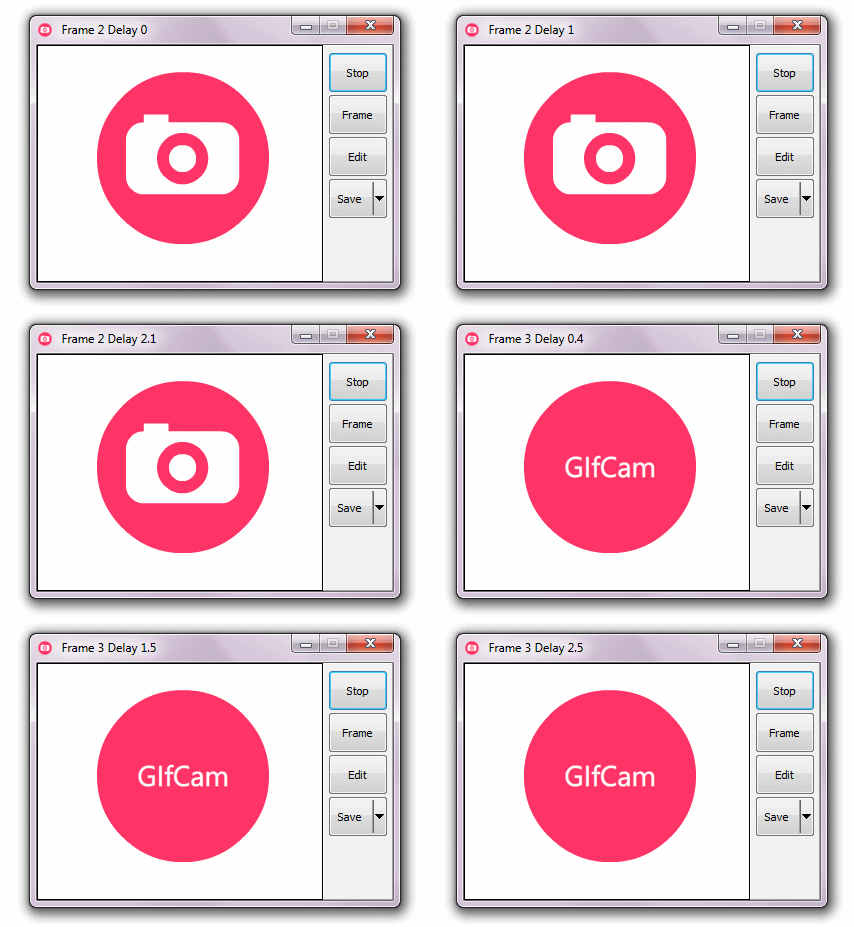
    GifCam-The Easiest Way to Capture Screen Video In .GIF Format or to Create Animated GIFs..

                              GifCam is easy and fun animated gif making app.GifCam has a nice idea where the app works like a camera that stays on top of all windows so you can move it and resize it to record your desired area.
                            Quickly make an animated GIF of anything. GifCam is a free, portable app for Windows that provides you with a simple frame. Re size and position it, then hit record – everything that happens within that frame will be recorded. It’s the easiest way to create your own GIF of just about anything — from desktop demonstrations to clips from any video, online or off. If you love creating GIFs, but wish the process was quicker, you need to check this app out.
                              The animated GIF just might be older than you – it’s been around since 1987, and really took off in the early days of the web. It declined at the end of the 90′s, and to some it’s an obsolete way to show animations online – but you wouldn’t know that to look at the web today. Animated GIFs are everywhere. From the endless scrolling of Tumblr to reaction shots on Reddit, GIFs are probably seen by more humans today than any point in their history.

    How to Make GIFs in Easy Way..

    • GifCam looks like any other window – except you can see through it. Think of the window as the frame of your virtual video camera – one you can resize and move however you like.

    • You can use this to record just about anything. Your favorite YouTube video. Or To preview the Animated Demo of your Work ..Like below I am Previewing the "Animated Metro UI Drop Down Menu" created by Me..which is my Previous Post of this Blog..

    • Just Download this GifCam Software From Link which is given at the End of this post and Run the App...
    • Then Adjust the Size of Recording Area by Resizing the Window of APP..
    • Then Click on "Rec" .which will start Recording the frames..
    • As your Recording is done!! Click on Stop..
    • Then Click on Save..
    • That's it  ..Done!!!

    Note:


    I hope you have found this post helpful..
    Don't forget to Subscribe , Comment and Share this post..
    With Regard's ,

    Read Article

    05:13

    Animated CSS3 Metro UI Drop Down Menu With Sliding Tiles Effect v1.0 by MJN..

                         I have Posted My First Two Creation Using CSS3   Earlier In my Posts Before,, Those are
    1.  Metro UI Social Profile and Search Box with Zoom & Glow Effects Widget v1.0 by MJN For Blogger ..
    2.  Simple and Stylish Ribbon UI Social Profile Widget v1.0 by MJN For Blogger..
    So after Working on Those Two Metro UI and Ribbon UI Widgets today  I am Here With One More Metro UI Drop Down Menu Using CSS3.. 


    I think and Hope you all Will Like it..    Take A Live Preview    Live Demo

    So let me Share you this Awesome Drop Down Menu.. 

    How to Add this to your Blog:

    • First Go to "Blogger" and Go to  your Blog Dashboard..
    • Now Click On "Layout" In Left Side of your Blog..
    • Now Click on "Add Gadget"..
    • You Will Get Many Widgets..Scroll Down to "HTML/JavaScript"..
    • Click On "HTML/JavaScript"..
    • Now Paste This Below Set of Code in it..


    <!doctype html public "-//W3C//DTD XHTML 1.0 Strict//EN" "http://www.w3.org/TR/xhtml1/DTD/xhtml1-strict.dtd">


    <link rel="stylesheet" href="https://googledrive.com/host/0B_7JWdEqBhVVNTFlRld1RUpVeUE"/>


    <div class="mjn-metro-menu">

    <!-- defining top menu elements -->
    <ul class="navi">
     <li id="n1"><a class="mjn-tab1" href="http://mjntechtips.blogspot.in/" title="Home" ></a>
    <!-- defining sub menu elements --><ul class="sub">
     <li class="l"><a class="mjn-fb" href="https://www.facebook.com/mjntech" title="Like Us on Facebook"></a></li>
     <li class="c"><a class="mjn-tw" href="https://www.twitter.com/manjunathg17" title="Follow Us on Twitter"></a></li>
      <li class="r"><a class="mjn-g" href="https://plus.google.com/u/0/116155905562588571799"></a></li>
    <li class="r1"><a class="mjn-rss" href="https://feeds.feedburner.com/mjntech"></a></li>
    </ul>
    </li>
    <li id="n2"><a class="mjn-tab2" href="http://mjntechtips.blogspot.in/search/label/" title="Tags" ></a>
    <ul class="sub">
    <li class="l"><a class="mjn-tab2sub" href="http://mjntechtips.blogspot.in/search/label/Windows"title="Windows"><span>Windows</span></a></li>
    <li class="c"><a class="mjn-tab2sub" href="http://mjntechtips.blogspot.in/search/label/Blogger" title="Blogger"><span>Blogger</span></a></li>
     <li class="r"><a class="mjn-tab2sub" href="http://mjntechtips.blogspot.in/search/label/CSS3" title="CSS/HTML"><span>CSS/HTML</span></a></li>
    <li class="r1"><a class="mjn-tab2sub" href="http://mjntechtips.blogspot.in/search/label/Softwares" title="Softwares"><span>Softwares</span></a></li>
    </ul>
    </li>
    <li id="n3"><a class="mjn-tab3" href="mjntechtips.blogspot.in/2013/" title="Blog Archive" ></a>
    <ul class="sub">
    <li class="l"><a class="mjn-tab3sub" href="mjntechtips.blogspot.in/2013/"><span>2013</span></a></li>
    <li class="c"><a class="mjn-tab3sub" href="mjntechtips.blogspot.in/2013/"><span>2012</span></a></li>
    <li class="r"><a class="mjn-tab3sub" href="mjntechtips.blogspot.in/2013/"><span>2011</span></a></li>
    <li class="r1"><a class="mjn-tab3sub" href="mjntechtips.blogspot.in/2013/"><span>2010</span></a></li>
    </ul>
    </li>
    <li id="n4"><a class="mjn-tab4" href="http://mjntechtips.blogspot.in/p/blog-page.html" title="Contact Us" ></a>
    <ul class="sub">
    <li class="l"><a class="mjn-tab4sub" href="#"><span>LINK 1</span></a></li>
    <li class="c"><a class="mjn-tab4sub" href="#"><span>LINK 2</span></a></li>
    <li class="r1"><a class="mjn-tab4sub" href="#"><span>LINK 3</span></a></li>
    <li class="r"><a class="mjn-tab4sub" href="#"><span>LINK 4</span></a></li>
    </ul>
    </li>
    <li id="n5"><a class="mjn-tab5" href="#" ><span></span></a>
    </li>
    </ul>
    <div style="clear:both"></div>
    </div>
    </!doctype>


    • Now Click Save and Drag it to your desired position..


      Customization :

    • Now Replace Links Text Highlighted in Color Facebook,Twitter,Google+,RSS and other in Red with your Link.. 
    • Replace the Names Highlighted in  Pink with your Words appropriate to link given..
    •  


    Useful Note:


    Important Note:
    • You Can Comment If any Problem Persist.. or Need Help With This Widget..
    • This will be updated soon  with much more Menu's i.e.,Multilevel As soon as possible.
    • So Join our Blog and Subscribe for latest news updates..


    I hope you have found this post helpful..
    Don't forget to Subscribe , Comment and Share this post..
    With Regard's ,

    Read Article

    23:29

    Simple and Stylish Ribbon UI Social Profile Widget v1.0 by MJN For Blogger..

                               As you all know My First Attempt in CSS3 was and also is "Metro UI Social Profile and Search Box with Zoom & Glow Effects Widget v1.0 by MJN For Blogger " .. So I am here Today with another Social Profile Widget which is one of "MY Own Creation" with Ribbon UI..


    Live Demo of Ribbon UI Social Profile Widget..


    So After Previewing Live Demo I think you are "Happy!!" to add it to your Blog or Site..

    Let's Begin !!!!!!

    How to   Add Ribbon UI Social Profile Widget For Blogger :
    • First Go to "Blogger" and then go to your Blog "Dashboard"..
    • Now go to "Layout Section" which is in Left side of your Blog "Dashboard"..
    • Now click on "Add Gadget" .. Scroll Down and Click on "HTML/JavaScript"..
    • Now Paste the Below Code in it..
    <style>
    .mjn-social_ribbon_icons a{
        width:48px;
        height:100px;
        margin-top:10px;
        display:inline-block;
        text-indent:-9999em;
        background-position:0 0;
        background-repeat:no-repeat;
        z-index:2000;
        overflow:hidden;
    }
    .twitter{ background:url('https://blogger.googleusercontent.com/img/b/R29vZ2xl/AVvXsEi0cZMJ0OQHAoSrwSAGkpDL7NiXlsnY8i9Jr5ds0MDfslaLFVfKKarUZKgmlhVaq_azpmaSNtqFhY9mkTOtqAf0FjYYoBa795zxX99_n6R0Nk8r1kG3KdKssKaayXD9ufXQZ-UV8d3TO4E/h120/Twitter+R.png'); margin-bottom:10px; }
    .facebook{ background:url('https://blogger.googleusercontent.com/img/b/R29vZ2xl/AVvXsEg0V1kKMgntgzk-291iMoQyBf6RcXBVU6p1ss9HVnbgNQ45Orr5CRwt1HY3YTtUUhqEzJWhjOLk8JJ5wh22Goay29tObSyrtGrwPZHWLPbln_Q3rVVzFf6k0BBsbFVVfYa4F4MFsRVfnvk/h120/Facebook+R.png'); margin-bottom:10px; }
    .google{ background:url('https://blogger.googleusercontent.com/img/b/R29vZ2xl/AVvXsEjC_q8sdyba3ds_kAbQQDSPFxZuPgE-bXCS2BCwqzTNJ1CWMDmaL0bKCZ43bF9xGilCmpGx5CkwMLNiSMWK5oEBDPd4hQ868Mjcaff2zrwX6wtMW8z0vhQeHmfkne2HfB7LpumZvdsmmcw/h120/Google++R.png'); margin-bottom:10px; }
    .rss{ background:url('https://blogger.googleusercontent.com/img/b/R29vZ2xl/AVvXsEjepMpUiHMGCx3t2jVR_4R5bUwpLooX82NY-3AWLkKJ7fkIRvTmRl7hsAy6wRAv5svIW91DGGXTUM2emwz82DNRryq81PN-LMGKBc662IT6UUl4r6D30nCZ0D7Im3N338UBA_qLYy77FdA/h120/RSS+R.png'); margin-bottom:10px; }
    .twitter:hover{
    border-top: 2px solid transparent;
    box-sizing:border-box;
    -moz-box-sizing:border-box;
    -webkit-box-sizing:border-box;

    }
    .facebook:hover{
    border-top: 2px solid transparent;
    box-sizing:border-box;
    -moz-box-sizing:border-box;
    -webkit-box-sizing:border-box;
    }
    .google:hover{
    border-top: 2px solid transparent;
    box-sizing:border-box;
    -moz-box-sizing:border-box;
    -webkit-box-sizing:border-box;
    }
    .rss:hover{
    border-top: 2px solid transparent;
    box-sizing:border-box;
    -moz-box-sizing:border-box;
    -webkit-box-sizing:border-box;
    }
    </style>
       
    <div class="mjn-social_ribbon_icons">
    <a href="http://www.facebook.com/mjntech" class="facebook" title="Follow us on Facebook">Facebook</a>
    <a href="http://www.twitter.com/manjunathg17" class="twitter" title="Follow us on Twitter">Twitter</a>
     <a href="https://plus.google.com/u/0/116155905562588571799" class="google" title="Follow us on Google+">Google+</a>
    <a href="http://feeds.feedburner.com/mjntech" class="rss" title="Subscribe Us on RSS">RSS</a>
        </div>


  • Now click save..That's it ..all Done!!


  •   Customization :

    • Now Replace Links Text Highlighted in Color Facebook,Twitter,Google+,RSS with your Link.. 


    Useful Note:


    Important Note:
    • You Can Comment If any Problem Persist.. or Need Help With This Widget..


    I hope you have found this post helpful..
    Don't forget to Subscribe , Comment and Share this post..
    With Regard's ,

    Read Article

    01:34

    How to add CSS3 Gradient Buttons With Shiny Spinning Effect of Different Colour to Your Post..

                           Many Of you may have Searched before or Searching Now for Download or Demo or Whatever Buttons to use in your Blogger post or Website post.. In my Before Post I have Shared My Own Widget Created for the First time Using CSS3..  So  Today I am Going to share A Beautiful CSS3 Gradient Buttons With Shiny Spinning Effect With Multicolor Buttons..


                            So are you happy or curious to add this Awesome  CSS3 Gradient Buttons With Shiny Spinning Effect to you Blog or Website post?? Then Let's begin.. Now I will Explain How to add this to your Blogger Post..Just follow Simple Steps Mentioned Below..

    How to add CSS3 Gradient Buttons :
    • First Go to Blogger and Go to Your Blogger Dashboard..
    • Now Go to Template Section Which is in Left Side of your Blogger Dashboard..
    • Before Clicking On Edit HTML Backup your Template by Clicking "Backup/Restore" which is in Right side Top of your Blogger Dashboard.. 
    • Now click on "Download Template" so that if any problem persist after editing template you can restore it..
    • After Backup of your Template now click on "Edit HTML"..
    • Now find "]]></b:skin>" by clicking "Ctrl+F" in your Blogger Template Codes..
    • Now place Below Set of CSS Code above "]]></b:skin>"..

    /*****************************************************************************************************************
       Start of  Css3 Gradient Shiny Spinning Effect Button by .:MJN Tech:.
    ******************************************************************************************************************/
    .mjn-button{
        height:2em;
        padding:15px 50px;
        margin:20px 40px;
        cursor:pointer;
        display:inline-block;
        color:#FFF !important;
        font-size:1em;
        border:1px solid #eee;
        background:#eee;
        border-radius:4px;
        line-height:2em;
        border:1px solid #aaa;
        text-decoration:none;
        -webkit-transition: all 0.3s linear;
         -khtml-transition: all 0.3s linear;
           -moz-transition: all 0.3s linear;
             -o-transition: all 0.3s linear;
                transition: all 0.3s linear;
    }
    /********************************************************
              Green Background
    *********************************************************/
    .green{
        background: #cdeb8e; /* Old browsers */
        background: -moz-linear-gradient(top, #cdeb8e 0%, #a5c956 100%); /* FF3.6+ */
        background: -webkit-gradient(linear, left top, left bottom, color-stop(0%,#cdeb8e), color-stop(100%,#a5c956)); /* Chrome,Safari4+ */
        background: -webkit-linear-gradient(top, #cdeb8e 0%,#a5c956 100%); /* Chrome10+,Safari5.1+ */
        background: -o-linear-gradient(top, #cdeb8e 0%,#a5c956 100%); /* Opera 11.10+ */
        background: -ms-linear-gradient(top, #cdeb8e 0%,#a5c956 100%); /* IE10+ */
        background: linear-gradient(top, #cdeb8e 0%,#a5c956 100%); /* W3C */
        filter: progid:DXImageTransform.Microsoft.gradient( startColorstr='#cdeb8e', endColorstr='#a5c956',GradientType=0 ); /* IE6-9 */
    }
    /***********************************************************
                  Red Background
    ***********************************************************/
    .red{
        background: #ff3019; /* Old browsers */
        background: -moz-linear-gradient(top, #ff3019 0%, #cf0404 100%); /* FF3.6+ */
        background: -webkit-gradient(linear, left top, left bottom, color-stop(0%,#ff3019), color-stop(100%,#cf0404)); /* Chrome,Safari4+ */
        background: -webkit-linear-gradient(top, #ff3019 0%,#cf0404 100%); /* Chrome10+,Safari5.1+ */
        background: -o-linear-gradient(top, #ff3019 0%,#cf0404 100%); /* Opera 11.10+ */
        background: -ms-linear-gradient(top, #ff3019 0%,#cf0404 100%); /* IE10+ */
        background: linear-gradient(top, #ff3019 0%,#cf0404 100%); /* W3C */
        filter: progid:DXImageTransform.Microsoft.gradient( startColorstr='#ff3019', endColorstr='#cf0404',GradientType=0 ); /* IE6-9 */
    }
    /*************************************************
                 Yellow Background
     ************************************************/
    .yellow{
        background: #ffd65e; /* Old browsers */
        background: -moz-linear-gradient(top, #ffd65e 0%, #febf04 100%); /* FF3.6+ */
        background: -webkit-gradient(linear, left top, left bottom, color-stop(0%,#ffd65e), color-stop(100%,#febf04)); /* Chrome,Safari4+ */
        background: -webkit-linear-gradient(top, #ffd65e 0%,#febf04 100%); /* Chrome10+,Safari5.1+ */
        background: -o-linear-gradient(top, #ffd65e 0%,#febf04 100%); /* Opera 11.10+ */
        background: -ms-linear-gradient(top, #ffd65e 0%,#febf04 100%); /* IE10+ */
        background: linear-gradient(top, #ffd65e 0%,#febf04 100%); /* W3C */
        filter: progid:DXImageTransform.Microsoft.gradient( startColorstr='#ffd65e', endColorstr='#febf04',GradientType=0 ); /* IE6-9 */
    }
    /******************************************
                  Grey Background
     ******************************************/
    .grey{
        background: rgb(238,238,238); /* Old browsers */
        background: -moz-linear-gradient(left, rgba(238,238,238,1) 0%, rgba(204,204,204,1) 100%); /* FF3.6+ */
        background: -webkit-gradient(linear, left top, right top, color-stop(0%,rgba(238,238,238,1)), color-stop(100%,rgba(204,204,204,1))); /* Chrome,Safari4+ */
        background: -webkit-linear-gradient(left, rgba(238,238,238,1) 0%,rgba(204,204,204,1) 100%); /* Chrome10+,Safari5.1+ */
        background: -o-linear-gradient(left, rgba(238,238,238,1) 0%,rgba(204,204,204,1) 100%); /* Opera 11.10+ */
        background: -ms-linear-gradient(left, rgba(238,238,238,1) 0%,rgba(204,204,204,1) 100%); /* IE10+ */
        background: linear-gradient(left, rgba(238,238,238,1) 0%,rgba(204,204,204,1) 100%); /* W3C */
        filter: progid:DXImageTransform.Microsoft.gradient( startColorstr='#eeeeee', endColorstr='#cccccc',GradientType=1 ); /* IE6-9 */
    }
    /******************************************
             Black Background
     ******************************************/
    .black{
        background: #7d7e7d; /* Old browsers */
        background: -moz-linear-gradient(top, #7d7e7d 0%, #0e0e0e 100%); /* FF3.6+ */
        background: -webkit-gradient(linear, left top, left bottom, color-stop(0%,#7d7e7d), color-stop(100%,#0e0e0e)); /* Chrome,Safari4+ */
        background: -webkit-linear-gradient(top, #7d7e7d 0%,#0e0e0e 100%); /* Chrome10+,Safari5.1+ */
        background: -o-linear-gradient(top, #7d7e7d 0%,#0e0e0e 100%); /* Opera 11.10+ */
        background: -ms-linear-gradient(top, #7d7e7d 0%,#0e0e0e 100%); /* IE10+ */
        background: linear-gradient(top, #7d7e7d 0%,#0e0e0e 100%); /* W3C */
        filter: progid:DXImageTransform.Microsoft.gradient( startColorstr='#7d7e7d', endColorstr='#0e0e0e',GradientType=0 ); /* IE6-9 */
    }
    /******************************************
            Brown Background
     ******************************************/
    .brown{
        background: #f6e6b4; /* Old browsers */
        background: -moz-linear-gradient(top, #f6e6b4 0%, #ed9017 100%); /* FF3.6+ */
        background: -webkit-gradient(linear, left top, left bottom, color-stop(0%,#f6e6b4), color-stop(100%,#ed9017)); /* Chrome,Safari4+ */
        background: -webkit-linear-gradient(top, #f6e6b4 0%,#ed9017 100%); /* Chrome10+,Safari5.1+ */
        background: -o-linear-gradient(top, #f6e6b4 0%,#ed9017 100%); /* Opera 11.10+ */
        background: -ms-linear-gradient(top, #f6e6b4 0%,#ed9017 100%); /* IE10+ */
        background: linear-gradient(top, #f6e6b4 0%,#ed9017 100%); /* W3C */
        filter: progid:DXImageTransform.Microsoft.gradient( startColorstr='#f6e6b4', endColorstr='#ed9017',GradientType=0 ); /* IE6-9 */
    }
    /**********************************************
                 Blue Background
     **********************************************/
    .blue{
        background: #7abcff; /* Old browsers */
        background: -moz-linear-gradient(top, #7abcff 0%, #60abf8 44%, #4096ee 100%); /* FF3.6+ */
        background: -webkit-gradient(linear, left top, left bottom, color-stop(0%,#7abcff), color-stop(44%,#60abf8), color-stop(100%,#4096ee)); /* Chrome,Safari4+ */
        background: -webkit-linear-gradient(top, #7abcff 0%,#60abf8 44%,#4096ee 100%); /* Chrome10+,Safari5.1+ */
        background: -o-linear-gradient(top, #7abcff 0%,#60abf8 44%,#4096ee 100%); /* Opera 11.10+ */
        background: -ms-linear-gradient(top, #7abcff 0%,#60abf8 44%,#4096ee 100%); /* IE10+ */
        background: linear-gradient(top, #7abcff 0%,#60abf8 44%,#4096ee 100%); /* W3C */
        filter: progid:DXImageTransform.Microsoft.gradient( startColorstr='#7abcff', endColorstr='#4096ee',GradientType=0 ); /* IE6-9 */
    }
    /*****************************************
          Dark Red Background
     *****************************************/
    .darkred{
        background: rgb(169,3,41); /* Old browsers */
        background: -moz-linear-gradient(left, rgba(169,3,41,1) 0%, rgba(143,2,34,1) 44%, rgba(109,0,25,1) 100%); /* FF3.6+ */
        background: -webkit-gradient(linear, left top, right top, color-stop(0%,rgba(169,3,41,1)), color-stop(44%,rgba(143,2,34,1)), color-stop(100%,rgba(109,0,25,1))); /* Chrome,Safari4+ */
        background: -webkit-linear-gradient(left, rgba(169,3,41,1) 0%,rgba(143,2,34,1) 44%,rgba(109,0,25,1) 100%); /* Chrome10+,Safari5.1+ */
        background: -o-linear-gradient(left, rgba(169,3,41,1) 0%,rgba(143,2,34,1) 44%,rgba(109,0,25,1) 100%); /* Opera 11.10+ */
        background: -ms-linear-gradient(left, rgba(169,3,41,1) 0%,rgba(143,2,34,1) 44%,rgba(109,0,25,1) 100%); /* IE10+ */
        background: linear-gradient(left, rgba(169,3,41,1) 0%,rgba(143,2,34,1) 44%,rgba(109,0,25,1) 100%); /* W3C */
        filter: progid:DXImageTransform.Microsoft.gradient( startColorstr='#a90329', endColorstr='#6d0019',GradientType=1 ); /* IE6-9 */
    }
    /*******************************************
                 Purple Background
     *******************************************/
    .purple{
        background: rgb(203,96,179); /* Old browsers */
        background: -moz-linear-gradient(left, rgba(203,96,179,1) 0%, rgba(173,18,131,1) 50%, rgba(222,71,172,1) 100%); /* FF3.6+ */
        background: -webkit-gradient(linear, left top, right top, color-stop(0%,rgba(203,96,179,1)), color-stop(50%,rgba(173,18,131,1)), color-stop(100%,rgba(222,71,172,1))); /* Chrome,Safari4+ */
        background: -webkit-linear-gradient(left, rgba(203,96,179,1) 0%,rgba(173,18,131,1) 50%,rgba(222,71,172,1) 100%); /* Chrome10+,Safari5.1+ */
        background: -o-linear-gradient(left, rgba(203,96,179,1) 0%,rgba(173,18,131,1) 50%,rgba(222,71,172,1) 100%); /* Opera 11.10+ */
        background: -ms-linear-gradient(left, rgba(203,96,179,1) 0%,rgba(173,18,131,1) 50%,rgba(222,71,172,1) 100%); /* IE10+ */
        background: linear-gradient(left, rgba(203,96,179,1) 0%,rgba(173,18,131,1) 50%,rgba(222,71,172,1) 100%); /* W3C */
        filter: progid:DXImageTransform.Microsoft.gradient( startColorstr='#cb60b3', endColorstr='#de47ac',GradientType=1 ); /* IE6-9 */
    }
    .mjn-button:hover{
        -webkit-box-shadow:rgba(0,0,0,0.7) 0px 5px 15px, inset rgba(0,0,0,0.15) 0px -10px 20px;
         -khtml-box-shadow:rgba(0,0,0,0.7) 0px 5px 15px, inset rgba(0,0,0,0.15) 0px -10px 20px;
           -moz-box-shadow:rgba(0,0,0,0.7) 0px 5px 15px, inset rgba(0,0,0,0.15) 0px -10px 20px;
             -o-box-shadow:rgba(0,0,0,0.7) 0px 5px 15px, inset rgba(0,0,0,0.15) 0px -10px 20px;
                box-shadow:rgba(0,0,0,0.7) 0px 5px 15px, inset rgba(0,0,0,0.15) 0px -10px 20px;
    }
    .mjn-button:active {
        -webkit-box-shadow: rgba(255,255,255,0.25) 0px 1px 0px, inset rgba(255,255,255,0.03) 0px 20px 0px, inset rgba(0,0,0,0.15) 0px -20px 20px, inset rgba(255,255,255,0.05) 0px 20px 20px;
         -khtml-box-shadow: rgba(255,255,255,0.25) 0px 1px 0px, inset rgba(255,255,255,0.03) 0px 20px 0px, inset rgba(0,0,0,0.15) 0px -20px 20px, inset rgba(255,255,255,0.05) 0px 20px 20px;
           -moz-box-shadow: rgba(255,255,255,0.25) 0px 1px 0px, inset rgba(255,255,255,0.03) 0px 20px 0px, inset rgba(0,0,0,0.15) 0px -20px 20px, inset rgba(255,255,255,0.05) 0px 20px 20px;
             -o-box-shadow: rgba(255,255,255,0.25) 0px 1px 0px, inset rgba(255,255,255,0.03) 0px 20px 0px, inset rgba(0,0,0,0.15) 0px -20px 20px, inset rgba(255,255,255,0.05) 0px 20px 20px;
                box-shadow: rgba(255,255,255,0.25) 0px 1px 0px, inset rgba(255,255,255,0.03) 0px 20px 0px, inset rgba(0,0,0,0.15) 0px -20px 20px, inset rgba(255,255,255,0.05) 0px 20px 20px;
        text-shadow:1px 1px 1px #eee;
    }
    .light {
        display: block;
        position: relative;
        background: -moz-linear-gradient(left, rgba(255,255,255,0) 0%, rgba(255,255,255,0.9) 50%, rgba(255,255,255,0) 100%); /* FF3.6+ */
        background: -webkit-gradient(linear, left top, right top, color-stop(0%,rgba(255,255,255,0)), color-stop(50%,rgba(255,255,255,0.9)), color-stop(100%,rgba(255,255,255,0))); /* Chrome,Safari4+ */
        background: -webkit-linear-gradient(left, rgba(255,255,255,0) 0%,rgba(255,255,255,0.9) 50%,rgba(255,255,255,0) 100%); /* Chrome10+,Safari5.1+ */
        background: -o-linear-gradient(left, rgba(255,255,255,0) 0%,rgba(255,255,255,0.9) 50%,rgba(255,255,255,0) 100%); /* Opera 11.10+ */
        background: -ms-linear-gradient(left, rgba(255,255,255,0) 0%,rgba(255,255,255,0.9) 50%,rgba(255,255,255,0) 100%); /* IE10+ */
        background: linear-gradient(left, rgba(255,255,255,0) 0%,rgba(255,255,255,0.9) 50%,rgba(255,255,255,0) 100%); /* W3C */
        filter: progid:DXImageTransform.Microsoft.gradient( startColorstr='#00ffffff', endColorstr='#00ffffff',GradientType=1 ); /* IE6-9 */
        padding: 1px 9px;
        top: -16px;
        left: -53px;
        height: 0px;
    }
    .mjn-button:hover .light{
        padding:1px 5px;
        -webkit-animation-name: shine;
        -webkit-animation-duration: 0.6s;
        -webkit-animation-timing-function: linear;
        -khtml-animation-name: shine;
        -khtml-animation-duration: 0.6s;
        -khtml-animation-timing-function: linear;
        -moz-animation-name: shine;
        -moz-animation-duration: 0.6s;
        -moz-animation-timing-function: linear;
        -o-animation-name: shine;
        -o-animation-duration: 0.6s;
        -o-animation-timing-function: linear;
        -webkit-animation-name: shine;
        -webkit-animation-duration: 0.6s;
        -webkit-animation-timing-function: linear;
        left:45px;
    }
    @-webkit-keyframes shine {
        0% { top: -15px; left: -48px; }
        10% { top: -5px; }
        20% { top: 5px; }
        30% { top: 15px; }
        40% { top: 25px; }
        50% { top: 35px; }
        60% { top: 25px; }
        70% { top: 15px; }
        80% { top: 5px; }
        90% { top: -5px; }
        100% { top:-15px; left:45px; -webkit-transform: rotate(-360deg); }
    }
    @-khtml-keyframes shine {
        0% { top: -15px; left: -48px; }
        10% { top: -5px; }
        20% { top: 5px; }
        30% { top: 15px; }
        40% { top: 25px; }
        50% { top: 35px; }
        60% { top: 25px; }
        70% { top: 15px; }
        80% { top: 5px; }
        90% { top: -5px; }
        100% { top:-15px; left:45px; -khtml-transform: rotate(-360deg); }
    }
    @-moz-keyframes shine {
        0% { top: -15px; left: -48px; }
        10% { top: -5px; }
        20% { top: 5px; }
        30% { top: 15px; }
        40% { top: 25px; }
        50% { top: 35px; }
        60% { top: 25px; }
        70% { top: 15px; }
        80% { top: 5px; }
        90% { top: -5px; }
        100% { top:-15px; left:45px; -moz-transform: rotate(-360deg); }
    }
    @-o-keyframes shine {
        0% { top: -15px; left: -48px; }
        10% { top: -5px; }
        20% { top: 5px; }
        30% { top: 15px; }
        40% { top: 25px; }
        50% { top: 35px; }
        60% { top: 25px; }
        70% { top: 15px; }
        80% { top: 5px; }
        90% { top: -5px; }
        100% { top:-15px; left:45px; -o-transform: rotate(-360deg); }
    }
    @-keyframes shine {
        0% { top: -15px; left: -48px; }
        10% { top: -5px; }
        20% { top: 5px; }
        30% { top: 15px; }
        40% { top: 25px; }
        50% { top: 35px; }
        60% { top: 25px; }
        70% { top: 15px; }
        80% { top: 5px; }
        90% { top: -5px; }
        100% { top:-15px; left:45px; transform: rotate(-360deg); }
    }
    /*************************************************************************************************
       End of  Css3 Gradient Shiny Spinning Effect Button by .:MJN Tech:.
    **************************************************************************************************/
    • Now Click On Save Template..
    How to use This Code in Posts:
    • To add This Buttons in Post go to HTML Part of your Post and Add this below code According to your Color..

    Green Button
    <a href="Url-Here" class="mjn-button green">
    <div class="light"></div>Your Text</a>

    Red Button
    <a href="Url-Here" class="mjn-button red">
    <div class="light"></div>Your Text</a>

    Blue Button
    <a href="Url-Here" class="mjn-button blue">
    <div class="light"></div>Your Text</a>

    Yellow Button
    <a href="Url-Here" class="mjn-button yellow">
    <div class="light"></div>Your Text</a>

    Grey Button
    <a href="Url-Here" class="mjn-button grey">
    <div class="light"></div>Your Text</a>

    Black Button
    <a href="Url-Here" class="mjn-button black">
    <div class="light"></div>Your Text</a>


    Brown Button
    <a href="Url-Here" class="mjn-button brown">
    <div class="light"></div>Your Text</a>

    Dark Red Button
    <a href="Url-Here" class="mjn-button darkred">
    <div class="light"></div>Your Text</a>

    Purple Button
    <a href="Url-Here" class="mjn-button purple">
    <div class="light"></div>Your Text</a>

    That's it ..All Done!!..

       Customization :

    • Now Replace "URL Here" Text Highlighted Red with your Link..
    • And Replace "Your Text" in pink with Download or Demo or What ever you want..


    Useful Note:


    Important Note:
    • You Can Comment If any Problem Persist..


    I hope you have found this post helpful..
    Don't forget to Subscribe , Comment and Share this post..
    With Regard's ,

    Read Article